

If you’ve been using Inkscape for a while now, you may have noticed the minor inconvenience of having to always redo your document properties every time you start a new document. Let’s fix this once and for all!
1. Find Inkscape File: default.svg
For Windows: C:\Program Files (x86)\Inkscape\share\templates\
For Linux: /usr/share/inkscape/templates/
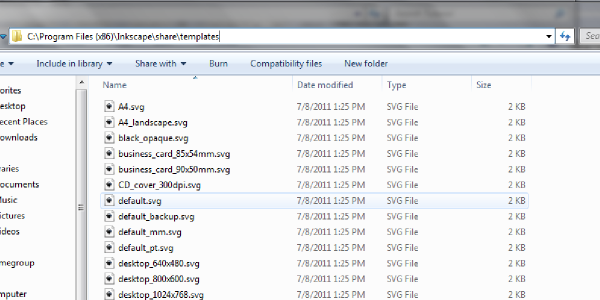
2. Open default.svg in Inkscape
Inkscape will open this file as a new document, because this is the template for a new document. You can now go to File > Document Properties and change the settings to your liking.
(You may also position and zoom in the canvas to your liking as these will also save for your default documents from now on).
3. Save default.svg
After you save this file with your new Document Properties, you may close out of Inkscape.
The next time you open up Inkscape, you’ll notice your new document has all of your new default Document Properties!
Head over to more Inkscape Tutorials!
Don’t save in system’s /usr folder! Save instead as user’s ~/.config/inkscape/templates/default.sbg
Thank you, that was helpful.
This worked great, thank you!
I downloaded the newest version, .91 and I do not have a default.svg file. Does anyone have an answer for the newest version?