
Did you know you can import an entire 3D model into Inkscape? With Inkscape’s excellent 3D Polyhedron extension, you can do just that!
Step 1
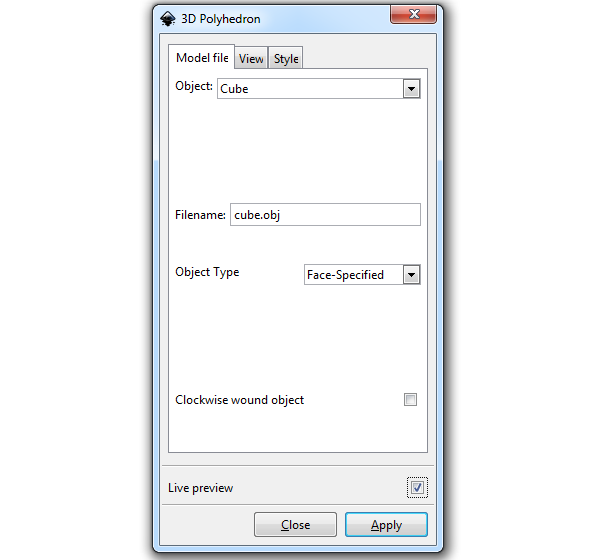
First we need to go to Extensions > Render > 3D Polyhedron to open up the extension. Right off the bat, you can choose from a list of polygons to render up.
Step 2
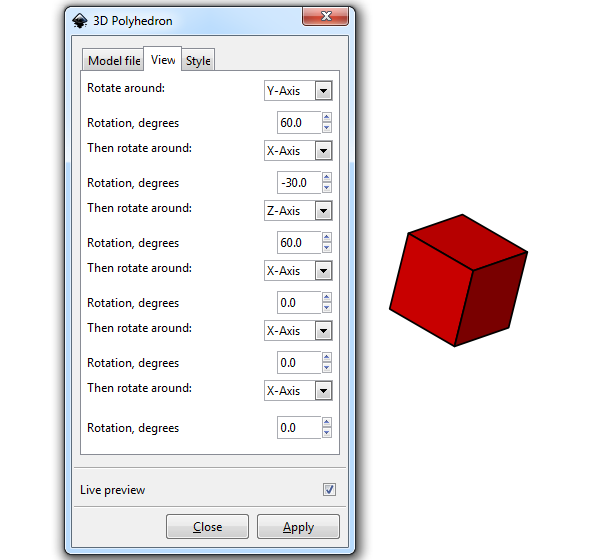
I selected a cube, but I wanted to change the angle. Head to the View tab to see a list of a bunch of different rotation values. While it’s not very intuitive, it’ll get the job done.
Step 3
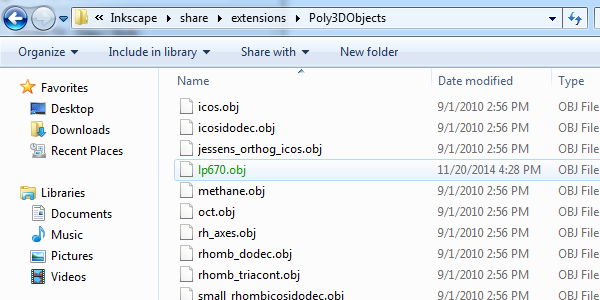
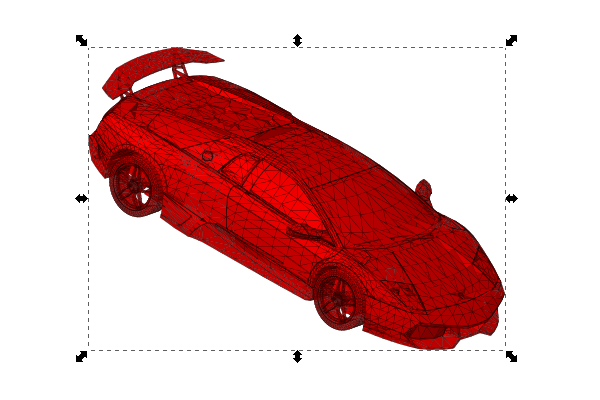
Then I got to thinking… what other objects can I do? Well, I searched online to find another OBJ file and ended up finding this sweet Lamborghini model. After I downloaded it, I went into Inkscape > Share > Extensions > Poly3DObjects to find the list of the standard models. Finally, just simply throw your OBJ file in there.
Step 4
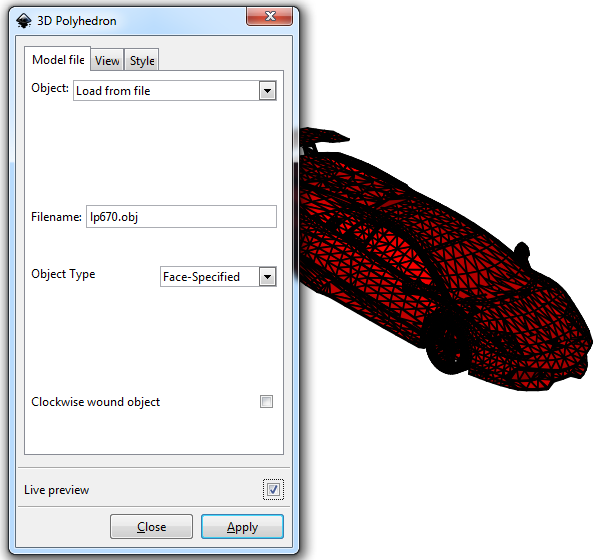
Back to the 3D Polyhedron extension, I selected Load from file as my object, typed the file name in Filename, and checked Live preview. Woah, check it out!
Step 5
After I clicked Apply, I selected the car like any normal object and reduced the Stroke to show off all of those polygons. How amazing is this?
So, There’s That
I’m not exactly sure what to do with this new knowledge yet, but it definitely seemed like something I should share. Now you know if you ever need to load a 3D model in Inkscape, you’ll be good to go! Thanks for reading.